Why Dispatch Changes The Value Of Team Communications
Field voice solves reachability. Dispatch adds live control, supervision, escalation, and accountability.
7 min readUpdated 2026-05-11Public buyer guide
Voice alone is not the whole operation
Fast voice is useful, but live operations rarely fail because one person cannot talk. They fail because the wider picture fragments. A supervisor does not know who is available. A call happens in the wrong group. A message gets buried. A field user needs help, but the person coordinating the response has no clear view.
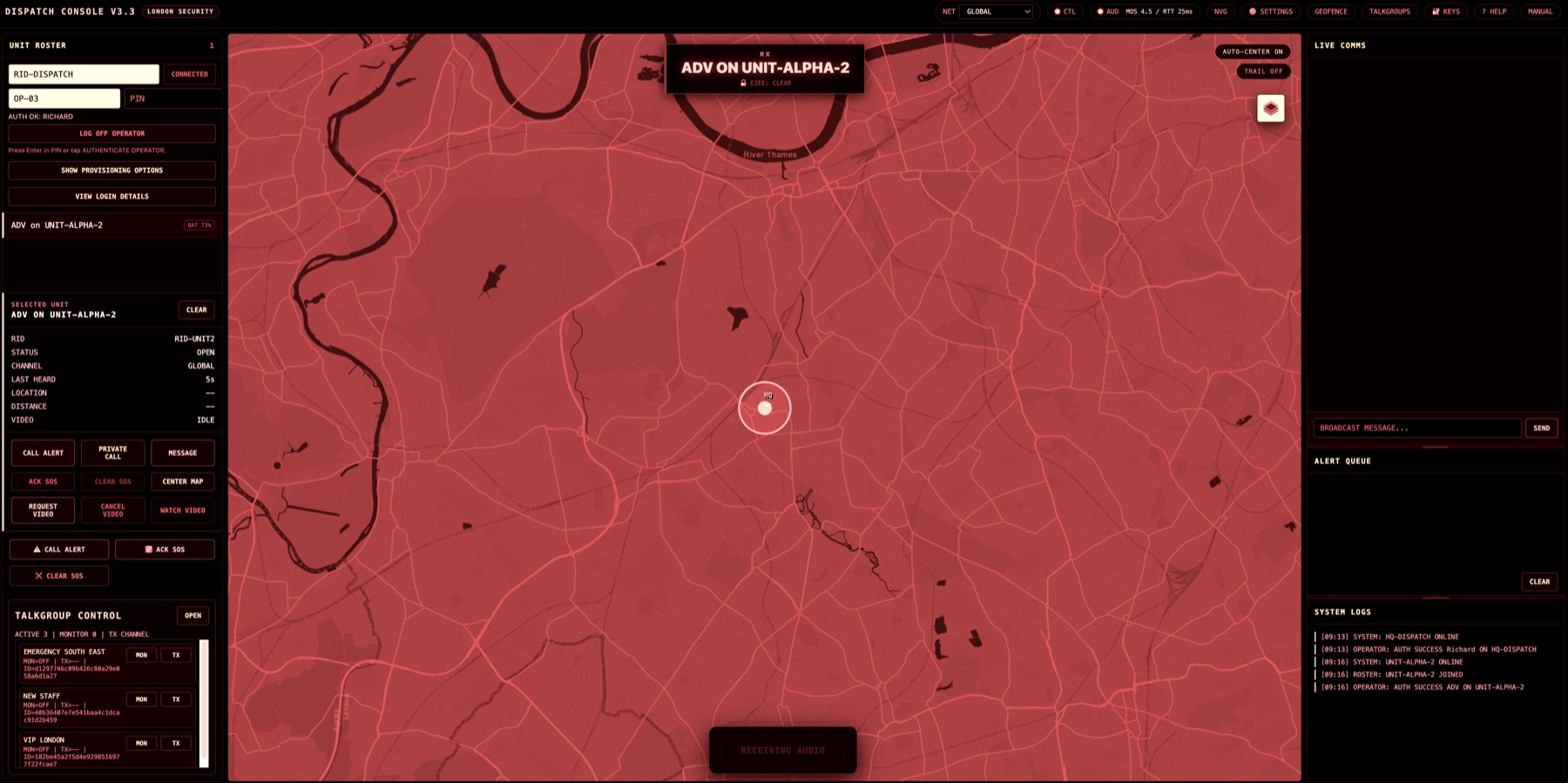
Dispatch changes the value of push-to-talk because it gives the supervising role a working surface. Secure Radio dispatch is browser-based and designed around unit roster, selected unit context, map awareness, messages, alerts, logs, and optional live field video request workflows.
The dispatcher has a different job
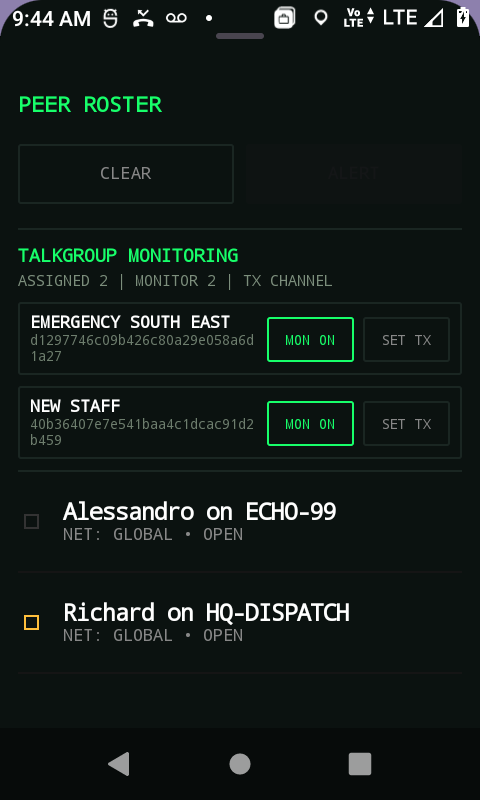
A field user needs speed. A dispatcher needs control. Those needs should not be squeezed into the same interface. The field app should make it easy to connect, listen, transmit, receive, and respond. The dispatch console should make it easy to see the operation, select the right unit, understand state, and coordinate the next move.
That is why Secure Radio prices dispatch separately from field-user access. It is a distinct value layer, especially for venues, security, facilities, rail, airports, and any organisation where control-room workflow matters.
Where dispatch earns its place
Dispatch is most valuable when the team is mobile, the environment is busy, and the cost of confusion is high. A nightclub supervisor dealing with door teams and floor staff needs escalation clarity. A facilities helpdesk needs to coordinate staff across buildings. A rail or airport operations team needs calm control across public-facing roles.
In these contexts, dispatch is not an optional extra. It is how the organisation turns voice into a managed operation.
Roster: know who is connected and available.
Selected unit context: focus on the person or team that matters now.
Messaging and alerts: supplement voice when the detail matters.
Map context: understand where the operational picture is unfolding.
Video request: ask for visual context when words are not enough.
What to test first
A good evaluation should include at least one dispatch-led scenario. Ask a field user to report an issue, have dispatch select the unit, use the appropriate voice or message path, and record what changed compared with the current workflow. If dispatch does not make the work clearer, the evaluation has taught you something useful. If it does, you have found the value layer.